
Download Pixo – photo editing, simple photo editing, intuitive photo tool, easy photo effects, creative photo app, mobile photo editing
Overview
Pixo is a streamlined mobile photo editing application designed for users seeking quick, effective enhancements without the complexity of professional-grade software. Built with simplicity in mind, the app targets individuals who want to edit their photos on the go—whether for social media, personal memories, or casual content creation. The core purpose of Pixo is to deliver powerful visual effects through a single, intuitive tool: the paintbrush. This focused approach eliminates overwhelming menus and settings, making it accessible even to users with no prior editing experience. The app is particularly useful for those who value speed and ease over advanced customization.
By minimizing the number of tools, Pixo reduces the learning curve typically associated with photo editing apps. Instead of navigating multiple layers, sliders, and filters, users apply effects directly to specific areas of an image using a single brush. This method supports real-world use cases such as brightening shadows, enhancing skin tones, or adding subtle artistic touches to portraits and landscapes. The app fits into a growing ecosystem of lightweight, purpose-built tools that prioritize user experience over feature bloat. While the developer did not provide additional technical details, the app’s minimal size and free pricing suggest it is optimized for performance on a wide range of Android devices.
Key Features & Functionality
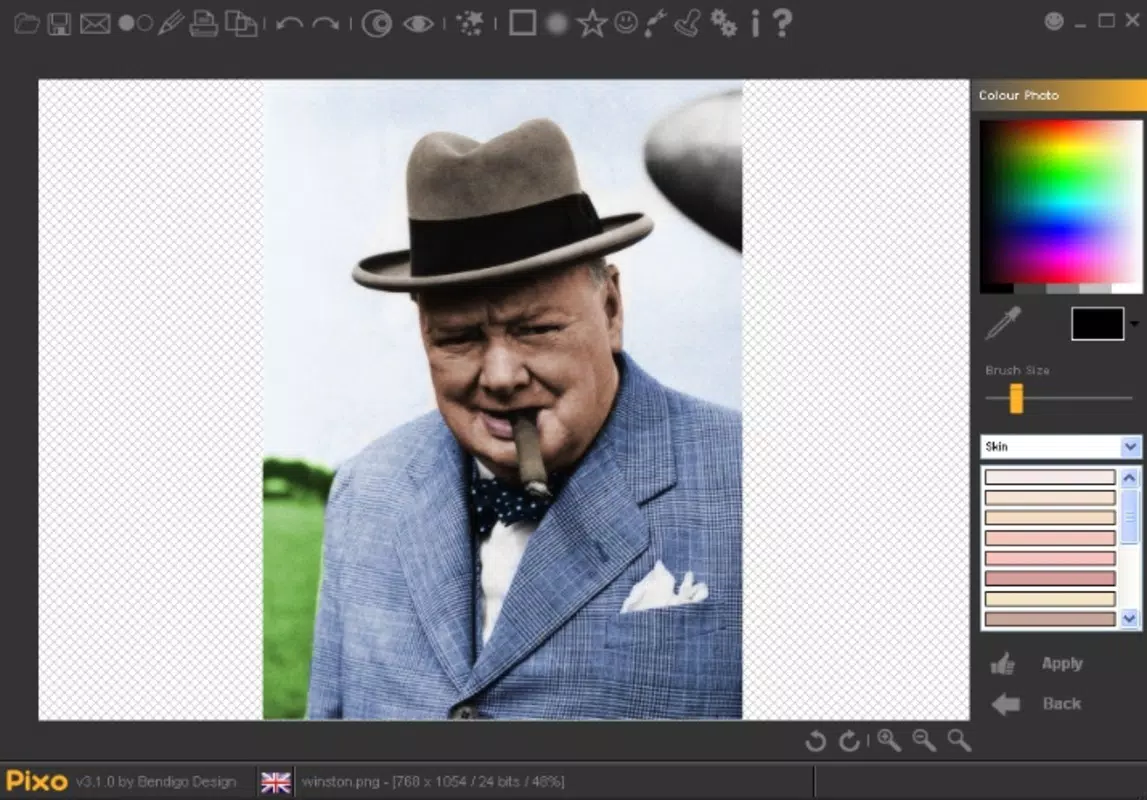
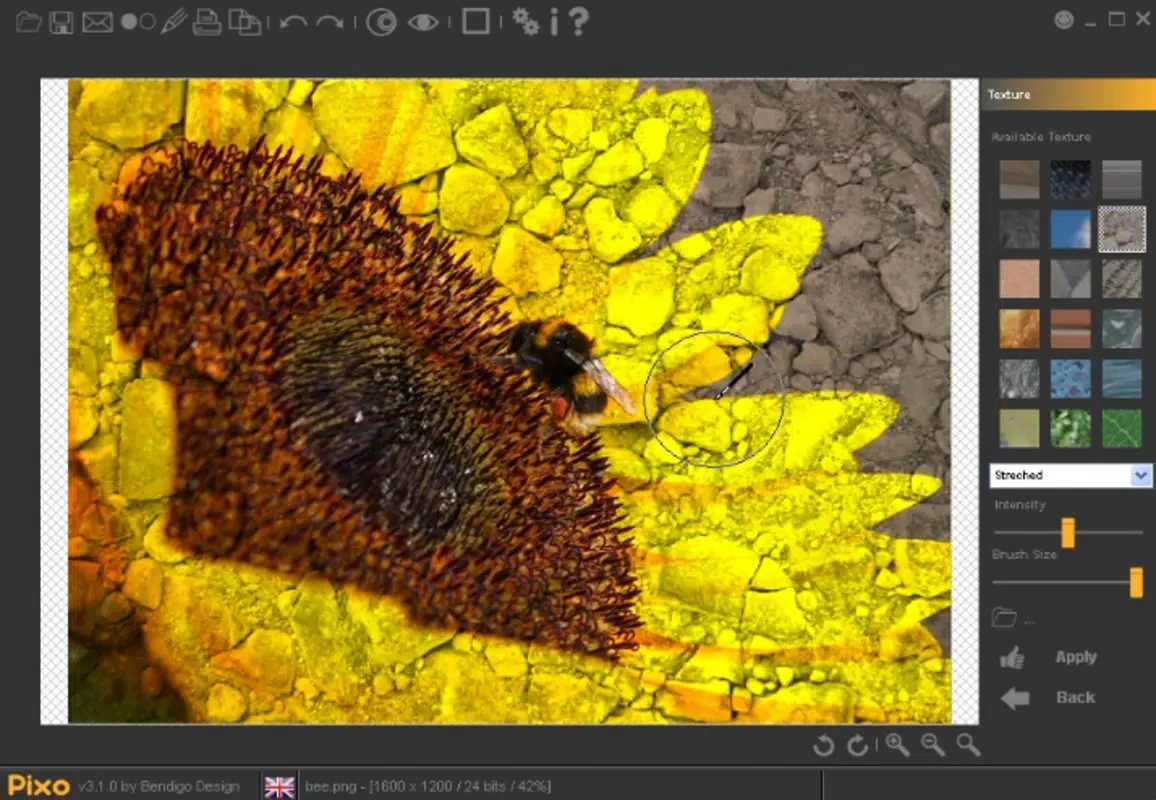
- Single Paintbrush Function: The central feature of Pixo is its exclusive paintbrush tool, which serves as the primary interface for applying effects. This singular focus ensures that users remain undistracted by unnecessary options, allowing for faster, more deliberate edits.
- Right-Side Effect Panel: All available effects are organized on the right side of the screen, providing quick access without requiring navigation through menus. This layout enhances usability, especially on smaller screens.
- Adjustable Intensity Control: A dedicated intensity bar at the bottom of the interface allows users to fine-tune the strength of each effect. This feature supports both subtle enhancements and bold transformations, depending on the user’s creative intent.
- Brush Size Customization: Users can adjust the brush size to target specific areas of an image with precision. This enables detailed work such as retouching small imperfections or enhancing textures without affecting surrounding regions.
- Area-Specific Editing: The paintbrush allows selective application of effects, preserving the original quality of untouched parts of the photo. This targeted approach is ideal for localized adjustments like brightening eyes or softening skin.
For example, a user might use a small brush size to gently brighten the eyes in a portrait, or apply a soft glow effect to a sunset photo by painting over the sky. The app’s design encourages experimentation while maintaining control, making it suitable for both casual users and those exploring creative photography.
Interface, UX & Performance
Pixo features a clean, minimalist interface that prioritizes clarity and ease of use. The layout is uncluttered, with the main canvas occupying the center of the screen and editing tools aligned along the right edge. This design ensures that the photo remains the focal point, reducing visual fatigue during editing sessions. Navigation is straightforward: users tap the brush, select an effect, adjust intensity, and paint directly onto the image.
The app’s responsiveness appears consistent across device categories, though the developer did not list formal performance metrics. Users can expect smooth interaction with minimal lag, especially considering the app’s small file size of 4.7 MB. Although the developer did not specify minimum OS requirements, the app’s lightweight nature suggests compatibility with older Android devices. Stability is likely maintained through a focused feature set, reducing the risk of crashes or memory issues common in more complex apps.
Platform Compatibility & Technical Requirements
Pixo is available exclusively on the Android platform. The current version is 1.1.3, with a file size of 4.7 MB, indicating a lightweight design optimized for efficient performance. The app is offered at no cost, making it accessible to a broad audience. The developer did not specify minimum OS requirements or compatibility details beyond the platform, so users should verify device compatibility through their app store before installation. While the app’s release date was March 28, 2014, the developer has not indicated whether updates are still being released.
Pros and Cons
Pros
- Simple, intuitive interface ideal for beginners and casual users
- Single paintbrush function reduces complexity and enhances focus
- Adjustable intensity controls allow for precise, customizable edits
- Lightweight design (4.7 MB) ensures fast loading and minimal storage use
- Free to download and use, with no in-app purchases reported
Cons
- Limited to one editing tool, which may restrict advanced users
- No visible indication of update frequency or developer support status
- Platform availability restricted to Android only
- Specific technical requirements were not listed
- Compatibility with newer Android versions is not confirmed
FAQ
Is Pixo safe to download and install?
Yes, the app is free and available through official Android channels. It does not require root access or unusual permissions. As with any app, users should download from trusted sources to ensure security.
Can I use Pixo on iOS devices?
No, the app is currently available only on Android. There is no official iOS version listed.
Does Pixo require an internet connection?
Not for basic editing functions. However, future updates or additional features may require connectivity.
How often is Pixo updated?
The developer did not provide information on update frequency. The last release was in 2014, but no official announcement about support status has been made.
Can I undo or revert edits in Pixo?
There is no information available about undo functionality. Users are advised to save original photos before editing.
Final Thoughts
Pixo stands out in the crowded mobile photo editing space by embracing minimalism as a strength. Its single paintbrush approach delivers a refreshingly simple experience for users who want to enhance their photos without technical barriers. While it may lack the depth of advanced tools, it excels in accessibility, speed, and ease of use. The app is ideal for individuals seeking a no-frills solution for quick, creative edits—perfect for social media posts, personal projects, or on-the-go adjustments.
Despite its age, the app’s lightweight design and free model continue to offer value. For users prioritizing simplicity and efficiency, Pixo remains a compelling choice. The absence of in-app purchases and the minimal system requirements further enhance its appeal.
Download Pixo now


